
Okappy Job Capture Agent How To Guide
What Is the Job Capture Agent?
The Okappy Job Capture Agent helps save time by monitoring incoming emails and automatically creating draft jobs in Okappy for your review.
Instead of manually reviewing emails and creating jobs individually, the agent can identify potential job requests, create the draft job, and notify your team when it is ready for approval.
What Does the Agent Do?
The agent will:
- Scan forwarded emails for potential job requests
- Review the email contents
- Identify the correct customer where possible
- Select the most appropriate job template
- Create a draft job in Okappy
- Notify admin users that a draft job is ready for review
The draft job can then be checked by your team before making it live.
Additional Instructions
You can customise how the agent behaves by adding additional instructions, such as:
- Always use a particular job template
- Add specific wording or information to jobs
- Prioritise certain job types
- Delay non-urgent jobs until quieter periods
- Handle certain customers differently
This allows the agent to better reflect your workflows and processes.
How To Set Up Your Agent
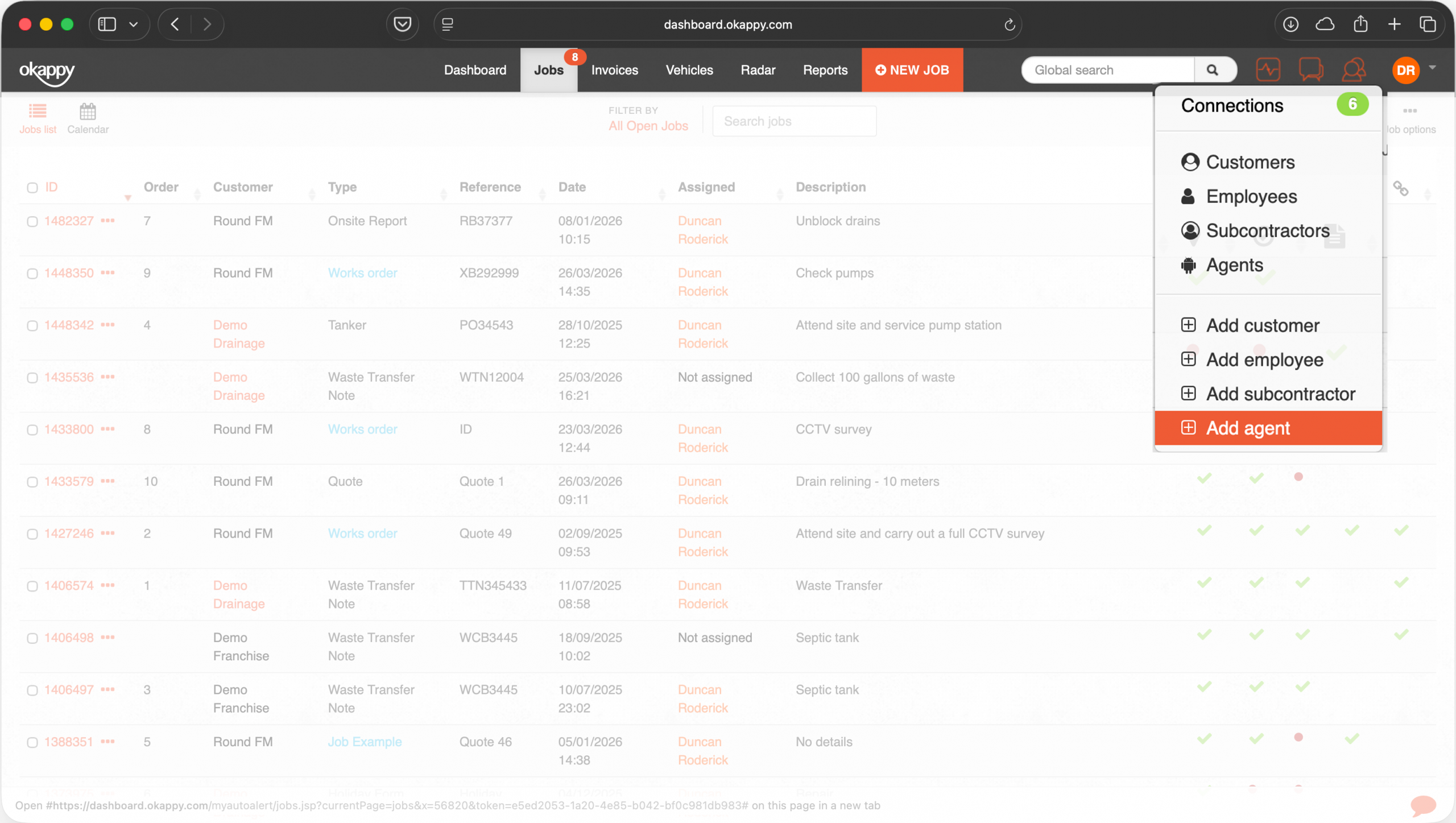
Within Okappy, click the Connections icon and select Add Agent.
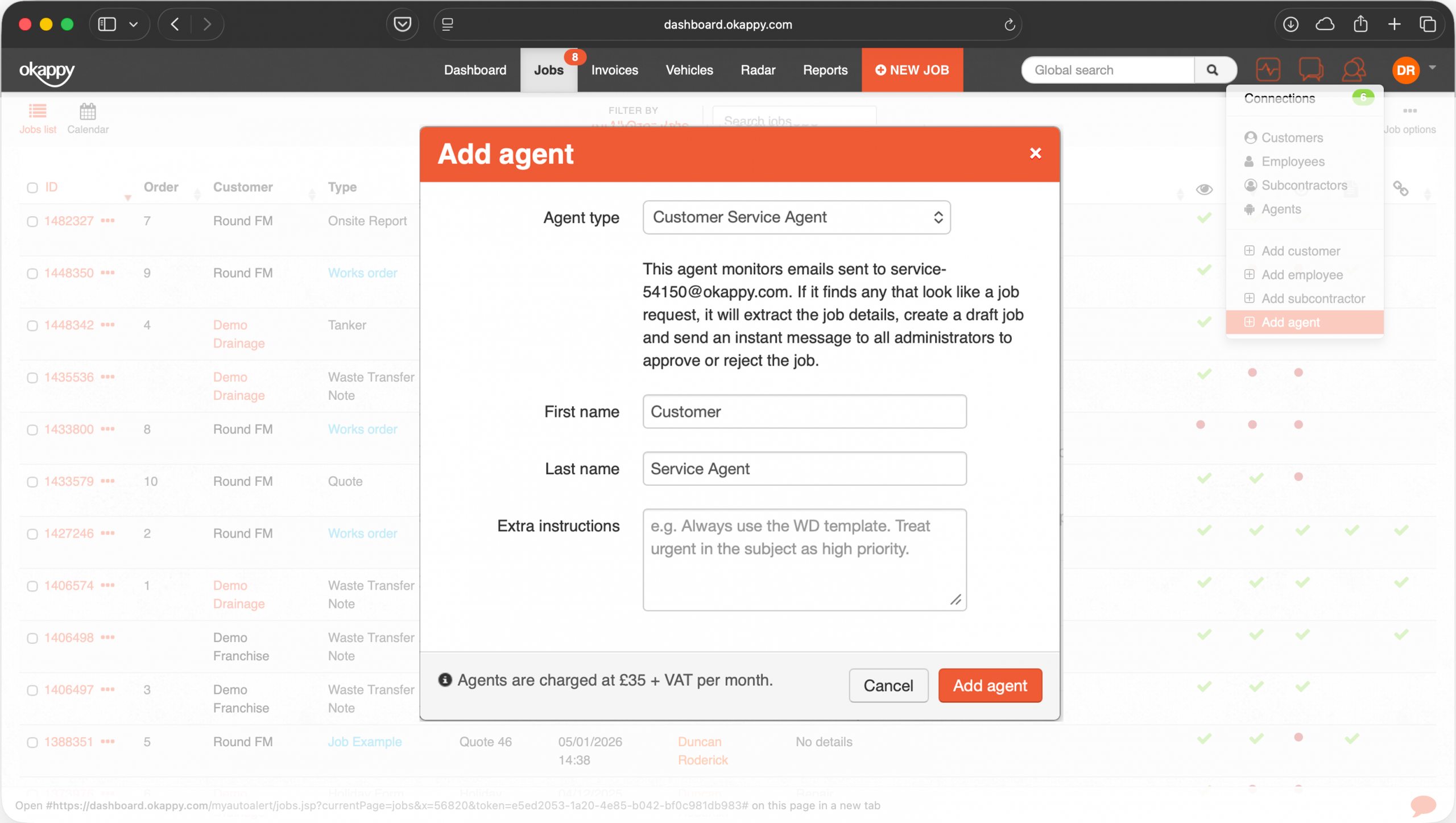
You can rename the agent to make it easier to identify internally. For example, you could use Service Desk Agent, Reactive Jobs Agent, or Plumbing Inbox Agent.
Add any additional instructions you would like the agent to follow, such as always using the Reactive Maintenance template, adding high priority to emergency callouts, or using customer reference numbers from the email subject.
Use Your Unique Agent Email Address
Once your agent has been created, set up forwarding in your email application for any emails that you want the Okappy agent to analyse. Forward them to the email address shown in the agent setup screen when you added the agent.
Set up forwarding in your email application for emails that you want the agent to analyse.
How the Agent Processes Emails
The agent scans emails received periodically. If it identifies a potential job request, it will analyse the email contents, identify the customer where possible, select the most appropriate job template, and create a draft job in Okappy.
If the customer cannot be identified automatically, the job will be assigned to your company by default so it can still be reviewed and corrected manually.
Admin Notifications
Once a draft job has been created, all admin users will receive a notification message. The draft job can be reviewed from the messaging screen, edited if required, and submitted when approved.
Important Notes
- Agents are designed to assist your workflows, not replace human review
- The agent may occasionally misunderstand or misinterpret information
- All draft jobs should be checked before submission
- Complex or unclear emails may still require manual handling
Pricing
Customer Service Agents are charged at £35 per agent, per month. The monthly subscription includes a generous level of usage for most customers.
Usage will vary depending on factors such as the number of emails processed, the amount of information within emails, the complexity of instructions provided, and frequency of usage.
Usage allowances reset each month. If your usage exceeds the included allowance, additional agents can be added to increase capacity.
Best Practice Recommendations
- Use clear email subject lines
- Standardise customer communications where possible
- Keep instructions simple and specific
- Regularly review draft jobs during early usage
- Refine instructions based on results
Need Help?
If you need help configuring your agent or refining instructions, please contact the Okappy support team who will be happy to assist.