
Okappy Finance Agent How To Guide
Aim of the Agent
The Finance Agent helps save time by reducing the manual administration involved in raising invoices from completed jobs within Okappy.
The agent helps streamline the invoicing process by automatically identifying completed jobs that are ready to invoice and creating draft invoices for review.
Agent Overview
The Finance Agent scans the Jobs Dashboard periodically looking for completed jobs that are ready to invoice.
When the agent identifies a qualifying job, it will automatically raise the invoice in draft status within Okappy.
Once the draft invoice has been created, the agent sends a message notification to all administrator users advising that the invoice has been raised and is ready for review.
The agent can also help identify older completed jobs that already show as invoiced and ask whether you would like to archive them to keep your dashboards clean and organised.
Setting Up the Agent
To set up the Finance Agent:
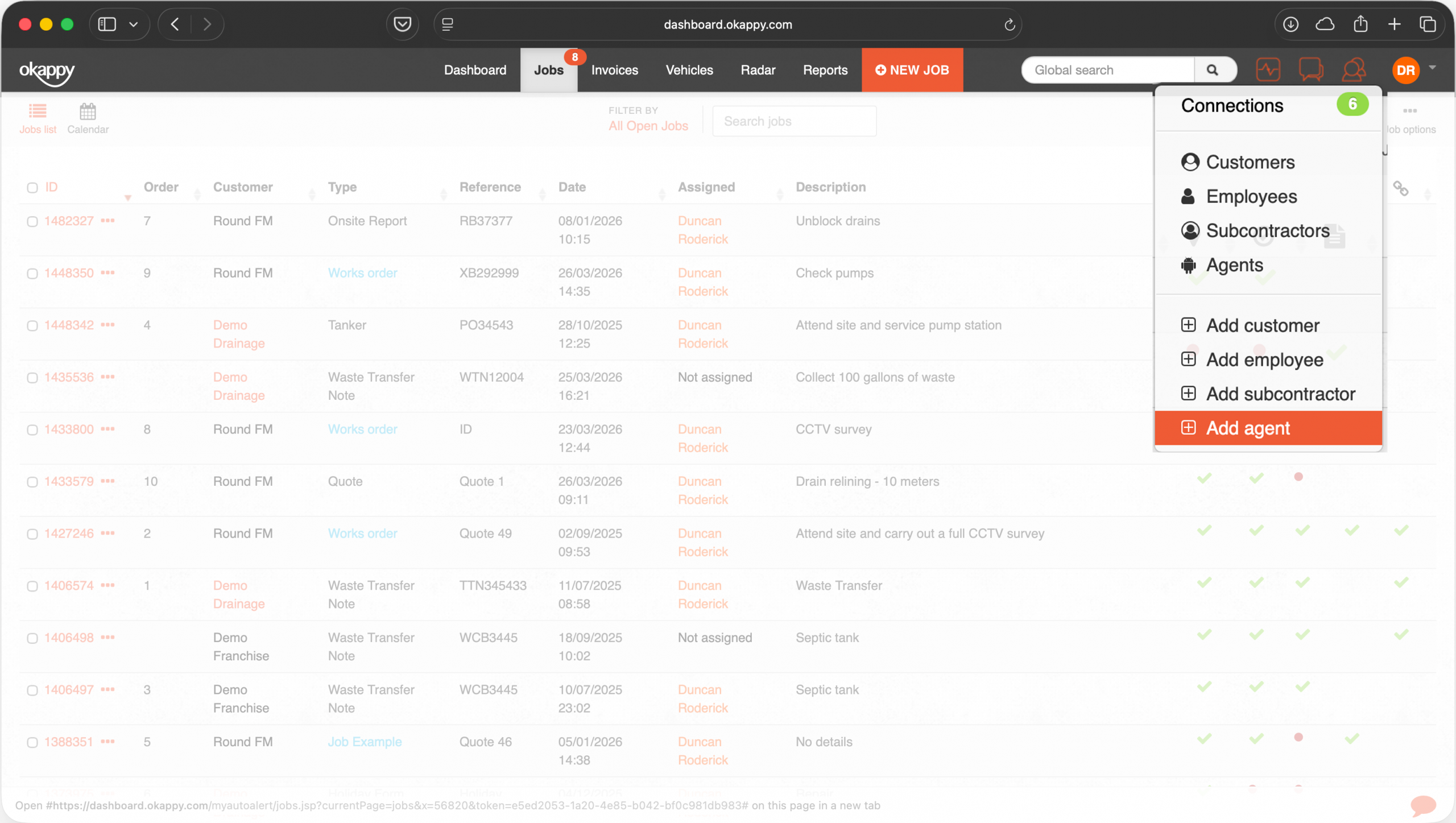
- Select the Connections icon within Okappy.
- Click Add Agent.
- Choose the Finance Agent option.
- Give your agent a recognisable name if required.
- Add any additional instructions you would like the agent to follow.
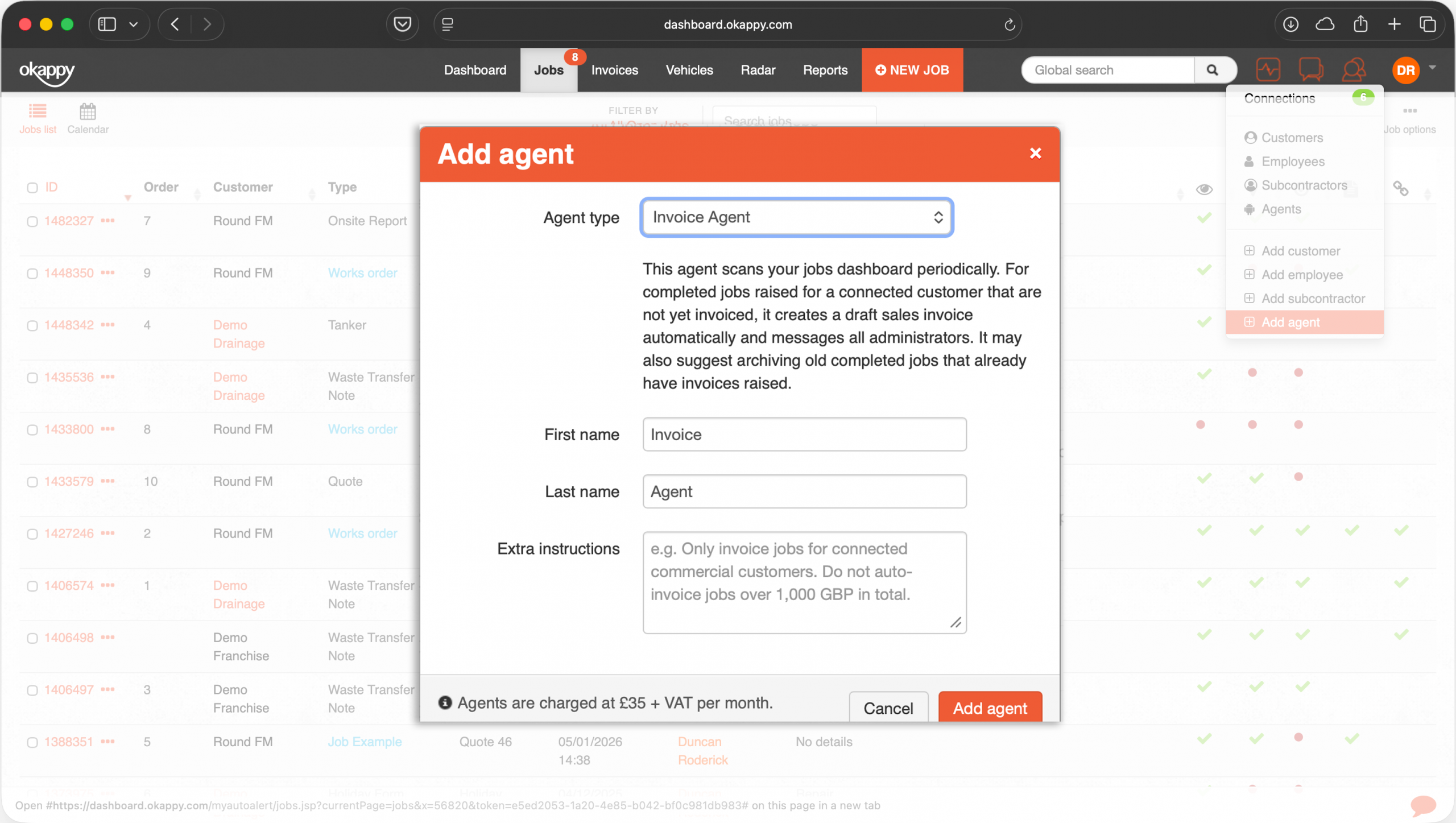
Examples of Additional Instructions
- Exclude certain customers
- Only invoice jobs with a specific status
- Group jobs by customer where possible
- Ignore jobs below a certain value
Once saved, the agent will begin scanning jobs automatically.
How the Agent Works
The Finance Agent periodically reviews jobs within your Okappy account and looks for jobs marked as complete.
Where appropriate, it will:
- Create a draft invoice
- Link the invoice to the relevant customer and job
- Notify administrator users that the invoice is ready for review
Administrators can then review the invoice and make any amendments before submitting or sending it as normal.
The agent may also identify older completed jobs which have already been invoiced and suggest archiving them to improve dashboard visibility and housekeeping.
Notifications
When the Finance Agent raises a draft invoice:
- All administrator users will receive a message notification
- The notification will contain details of the invoice created
- Administrators can review and process the invoice from within Okappy
Important Notes
The Finance Agent is designed to assist and speed up operational processes, however administrator review is still recommended before invoices are submitted or sent.
As with any automated process, occasional mistakes or incorrect assumptions may occur depending on job setup, customer information, or workflow complexity.
Pricing
Finance Agents are charged at £35 per agent per month. The monthly subscription includes a generous level of usage for most customers.
Usage will vary depending on factors such as the number of jobs being processed, the complexity of invoice creation, any additional instructions provided to the agent, and the amount of information being reviewed.
Usage allowances reset each month. If your business requires additional capacity, extra Finance Agents can be added at any time.