
Importing jobs from Google Calendar or Apple Calendar
To import your jobs from Apple’s calendar app or Google Calendar, you will first need software to create the information in an Excel readable format. You can use an application Export Calendar Pro or a website ICS to CSV convertor such as Convertor.app
Within that application, export your calendar to Excel.
Then within Okappy,
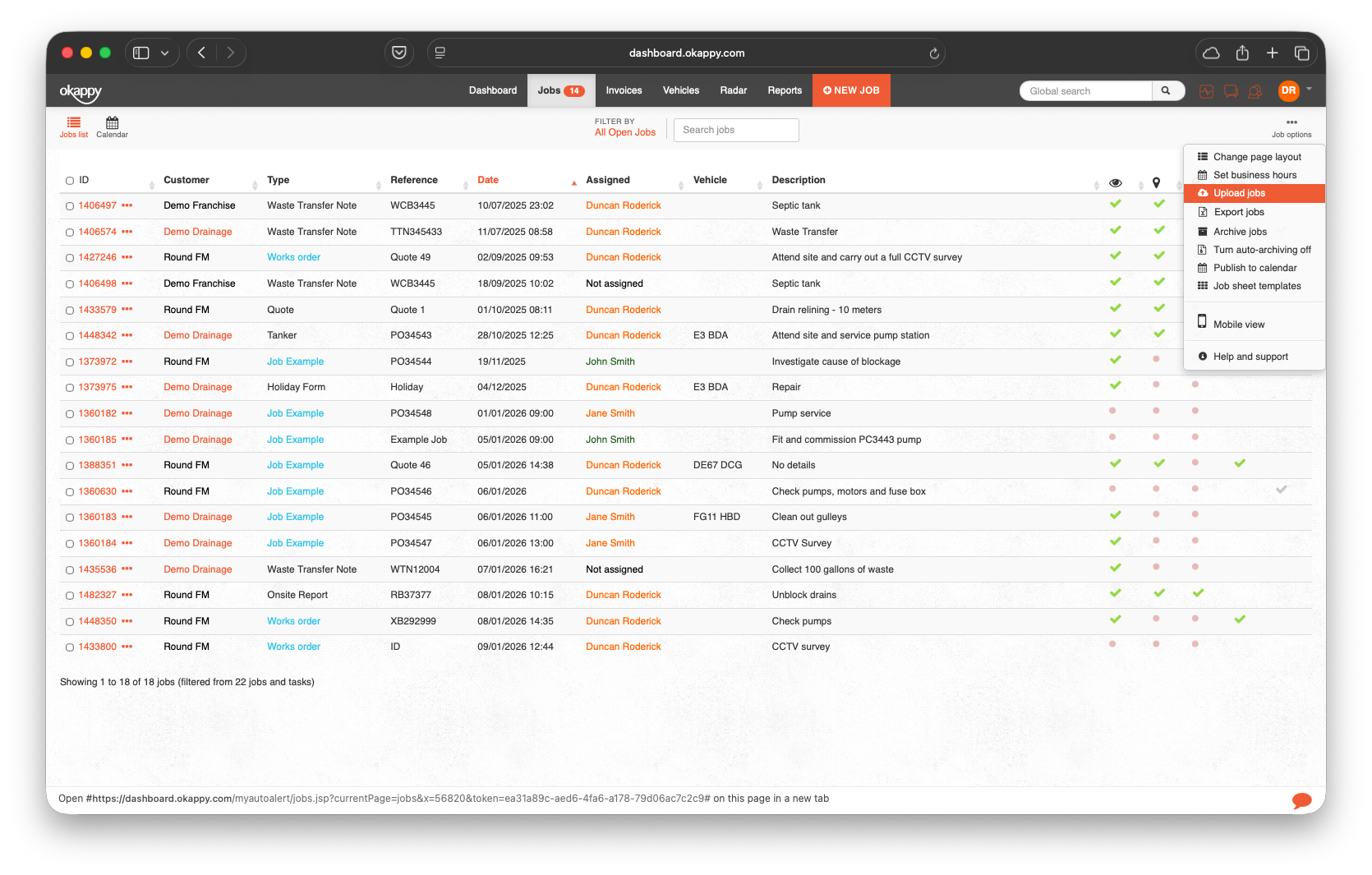
- Go to the jobs screen.
- Click Settings
- Click upload jobs
- If you haven’t uploaded jobs previously, first download the template file.
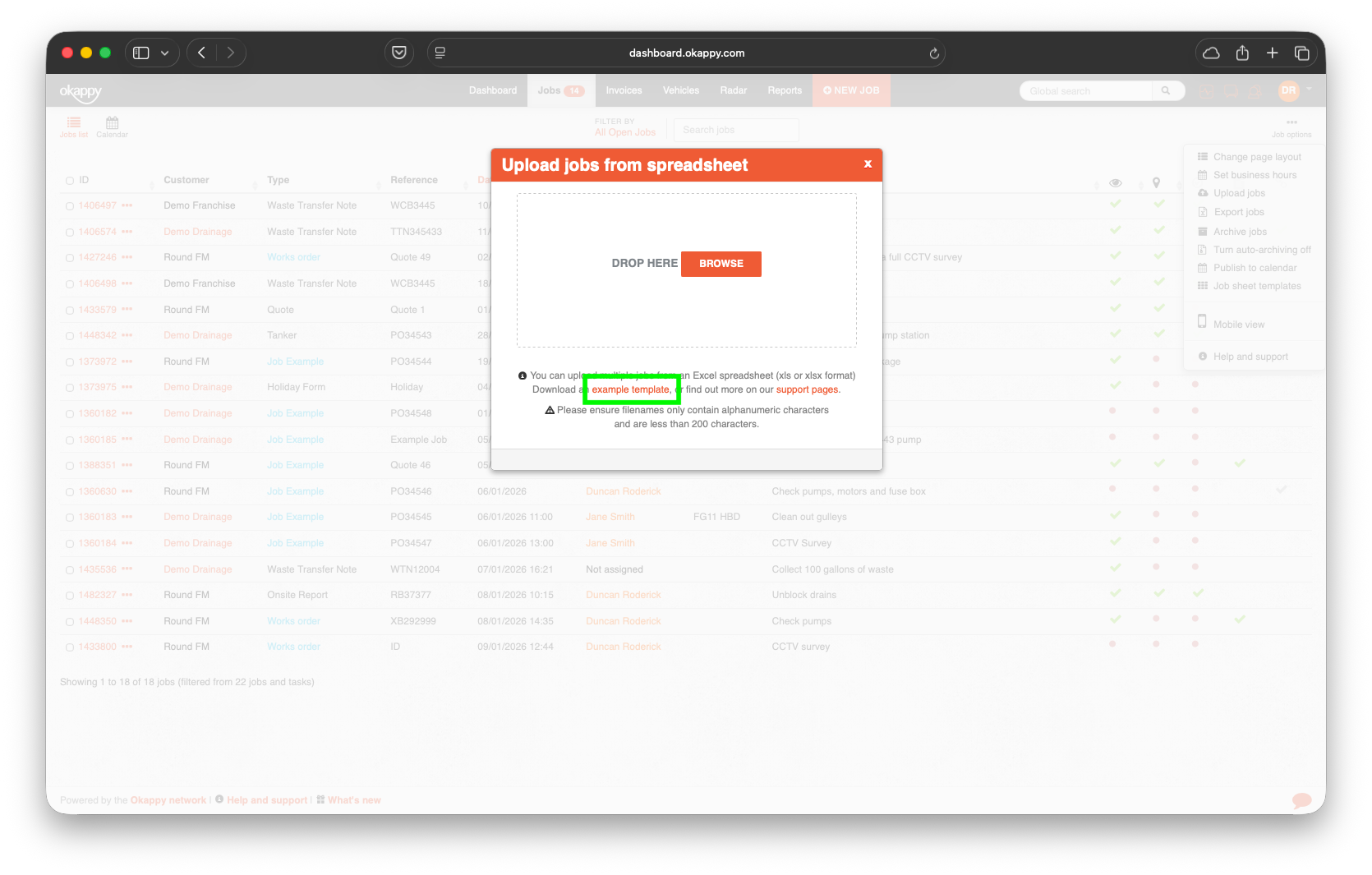
- Copy the details from the download file you created initially into the template file, ensuring the columns are populated with the correct information
- Save the template file with the .xlsx extension
- Select the file (or drop it into the window)
Your jobs will be created.